Author name: s940m874bi9jjiq5xpiu

Uncategorized

Top 10 Best Free SEO Tools in 2026 for Business Growth

Top 10 Best Free SEO Tools 1. Google Search Console Short overview:Google Search Console is one of the most essential free SEO tools for any business website. It helps website owners understand how their pages perform in Google Search, which keywords bring traffic, which pages are indexed, and what technical issues need attention. It is useful for tracking clicks, impressions, rankings, mobile usability, Core Web Vitals, and indexing problems. Key strengths:Search performance tracking, indexing reports, keyword insights, sitemap submission, Core Web Vitals, mobile usability checks, and technical issue alerts. Best for:Business owners, SEO teams, bloggers, developers, startups, and companies that want direct visibility into Google Search performance. 2. Google Analytics 4 Short overview:Google Analytics 4 is a free analytics tool that helps businesses understand website traffic, user behavior, engagement, conversions, and marketing performance. While it is not only an SEO tool, it is important for measuring how organic visitors interact with a website. Businesses can track top landing pages, traffic sources, user journeys, and conversion events. Key strengths:Traffic analysis, event tracking, conversion tracking, audience insights, landing page reports, user behavior data, and marketing attribution. Best for:Marketers, business owners, SEO teams, eCommerce brands, agencies, and companies measuring organic traffic performance. 3. Google Keyword Planner Short overview:Google Keyword Planner is a free keyword research tool inside Google Ads. It helps businesses discover keyword ideas, search volume ranges, competition levels, and cost-per-click estimates. Although it is mainly designed for paid advertising, it is also useful for SEO planning, content strategy, keyword grouping, and understanding search demand. Key strengths:Keyword ideas, search volume data, competition insights, CPC estimates, location-based keyword research, and content planning support. Best for:SEO beginners, marketers, advertisers, bloggers, content teams, local businesses, and companies researching keyword opportunities. 4. Google Trends Short overview:Google Trends helps businesses understand search interest over time. It is useful for identifying rising topics, seasonal demand, regional search behavior, and trending keywords. SEO teams can use it to compare topics, plan content calendars, discover timely blog ideas, and understand whether a keyword is growing or declining in popularity. Key strengths:Trend analysis, topic comparison, regional interest data, seasonal keyword insights, rising search terms, and content idea discovery. Best for:Content marketers, bloggers, SEO teams, news publishers, eCommerce brands, and businesses planning trend-based content. 5. PageSpeed Insights Short overview:PageSpeed Insights is a free Google tool that analyzes website speed and user experience. It provides performance scores for mobile and desktop pages, along with suggestions to improve loading time, Core Web Vitals, image optimization, JavaScript performance, and page responsiveness. Since site speed affects user experience, this tool is valuable for technical SEO. Key strengths:Website speed testing, Core Web Vitals analysis, mobile performance checks, technical recommendations, image optimization insights, and user experience signals. Best for:Developers, technical SEO teams, business websites, eCommerce stores, agencies, and companies improving page performance. 6. Bing Webmaster Tools Short overview:Bing Webmaster Tools is a free SEO platform that helps businesses monitor their website performance in Bing Search. It provides keyword data, indexing reports, backlink insights, site scan tools, SEO recommendations, and sitemap submission features. It is useful for companies that want visibility beyond Google and want another source of search performance data. Key strengths:Keyword reports, site scanning, indexing insights, backlink data, SEO recommendations, sitemap tools, and Bing search performance tracking. Best for:SEO teams, website owners, small businesses, agencies, publishers, and companies targeting traffic from multiple search engines. 7. Screaming Frog SEO Spider Free Version Short overview:Screaming Frog SEO Spider offers a free version that allows users to crawl up to 500 URLs. It helps businesses find technical SEO issues such as broken links, missing titles, duplicate metadata, redirects, canonical tags, and crawl errors. For small websites, the free version is highly useful for quick technical audits and website health checks. Key strengths:Website crawling, broken link detection, metadata analysis, redirect checks, duplicate content review, canonical checks, and technical audit support. Best for:Small websites, SEO consultants, agencies, developers, bloggers, and businesses needing technical SEO checks. 8. Ahrefs Webmaster Tools Short overview:Ahrefs Webmaster Tools gives verified website owners free access to site audit and backlink data for their own websites. It helps businesses monitor technical SEO health, organic keywords, backlinks, internal linking, and SEO issues. It is a useful free option for companies that want professional-level SEO insights without needing a full paid subscription. Key strengths:Site audit, backlink analysis, organic keyword data, internal link insights, technical issue tracking, and SEO health monitoring. Best for:Website owners, SEO teams, small businesses, bloggers, SaaS companies, and marketers tracking their own website performance. 9. Semrush Free Plan Short overview:Semrush offers a free plan with limited access to keyword research, domain analysis, competitor insights, backlink data, and SEO tools. While the free version has usage limits, it is useful for small businesses and beginners who want to explore SEO opportunities, check competitors, review keywords, and understand basic website performance before upgrading. Key strengths:Keyword research, domain overview, competitor analysis, backlink insights, limited site audit features, and SEO research tools. Best for:Small businesses, SEO beginners, marketers, agencies testing tools, content teams, and companies starting SEO research. 10. SEOquake Short overview:SEOquake is a free browser extension that provides quick SEO metrics while browsing websites and search results. It helps users review page-level SEO data, keyword density, internal and external links, SERP metrics, and basic audit details. It is useful for quick competitor checks, on-page SEO reviews, and lightweight SEO analysis without opening a full SEO platform. Key strengths:Browser-based SEO analysis, SERP metrics, page audits, keyword density checks, link analysis, and quick competitor review. Best for:SEO professionals, content marketers, bloggers, agencies, freelancers, and businesses needing fast page-level SEO checks. Why Choosing the Right Company Matters Choosing from the Top 10 Best Free SEO Tools is important because each tool supports a different part of search engine optimization. Some tools help with keyword research, while others focus on analytics, indexing, backlinks, technical audits, content planning, or website speed. Businesses should compare tools based on their SEO goals. A company trying to improve technical performance may need Google Search Console, PageSpeed Insights, and

Uncategorized

Top 10 Best SEO Tools for Businesses in 2026

Top 10 Best SEO Tools for Businesses in 2026 1. Semrush Short overview:Semrush is a complete SEO and digital marketing platform used for keyword research, competitor analysis, backlink tracking, site audits, rank monitoring, and content planning. Businesses use Semrush to understand search demand, discover ranking opportunities, monitor competitors, and improve overall organic visibility across multiple markets. Key strengths:Keyword research, competitor insights, backlink analysis, technical SEO audits, rank tracking, content tools, and PPC research. Best for:Marketing teams, SEO agencies, eCommerce businesses, SaaS companies, content teams, and businesses needing an all-in-one SEO platform. 2. Ahrefs Short overview:Ahrefs is a powerful SEO tool known for backlink analysis, keyword research, competitor tracking, and content discovery. It helps businesses analyze website authority, find link-building opportunities, track keyword rankings, and identify content gaps. Ahrefs is especially useful for companies that rely heavily on organic search, content marketing, and competitive SEO research. Key strengths:Backlink database, keyword explorer, site audit, rank tracking, competitor analysis, content gap research, and SEO reporting. Best for:SEO professionals, agencies, content marketers, SaaS companies, bloggers, and businesses focused on link building and organic growth. 3. Google Search Console Short overview:Google Search Console is a free and essential SEO tool that helps businesses monitor how their website performs in Google Search. It provides data on clicks, impressions, indexing, search queries, Core Web Vitals, mobile usability, and technical issues. Every business serious about SEO should use it to understand how Google views its website. Key strengths:Search performance data, indexing reports, query insights, page experience tracking, technical issue alerts, and sitemap monitoring. Best for:Business owners, SEO teams, developers, bloggers, startups, and any company wanting direct Google Search performance insights. 4. Screaming Frog SEO Spider Short overview:Screaming Frog SEO Spider is a technical SEO crawling tool that helps businesses find website issues affecting search performance. It scans websites for broken links, duplicate content, redirects, missing metadata, crawl depth, canonical issues, and technical errors. It is highly useful for audits, migrations, and ongoing technical SEO maintenance. Key strengths:Website crawling, broken link detection, metadata audits, redirect analysis, duplicate content checks, XML sitemap review, and technical SEO insights. Best for:Technical SEO teams, agencies, developers, enterprise websites, eCommerce stores, and businesses managing large or complex websites. 5. Moz Pro Short overview:Moz Pro is an SEO software suite designed to help businesses with keyword research, site audits, rank tracking, link analysis, and on-page optimization. It is known for its simple interface and useful SEO metrics. Moz Pro is a practical choice for teams that want a balanced SEO platform without unnecessary complexity. Key strengths:Keyword research, domain authority metrics, site audits, rank tracking, backlink analysis, page optimization, and SEO learning resources. Best for:Small businesses, marketing teams, agencies, SEO beginners, content teams, and companies needing accessible SEO software. 6. SE Ranking Short overview:SE Ranking is a flexible SEO platform offering keyword rank tracking, competitor research, website audits, backlink monitoring, content tools, and reporting. It is popular among agencies and small businesses because it provides a strong feature set at competitive pricing. SE Ranking helps teams manage SEO campaigns and monitor performance clearly. Key strengths:Rank tracking, competitor analysis, site audits, backlink monitoring, keyword research, local SEO tracking, and white-label reports. Best for:SEO agencies, small businesses, freelancers, local businesses, marketing teams, and companies looking for affordable SEO software. 7. Surfer SEO Short overview:Surfer SEO is a content optimization tool that helps businesses create search-friendly content based on data from top-ranking pages. It analyzes keywords, content structure, word count, headings, internal links, and topical relevance. Surfer SEO is useful for teams that want to improve blog posts, landing pages, and service pages with data-backed content guidance. Key strengths:Content optimization, SERP analysis, keyword suggestions, content editor, topical recommendations, audit tools, and AI-assisted writing support. Best for:Content marketers, SEO writers, agencies, bloggers, SaaS companies, and businesses focused on organic content growth. 8. Clearscope Short overview:Clearscope is a content optimization platform used to improve SEO content quality and topical relevance. It helps teams understand related terms, content depth, readability, and keyword coverage before publishing. Businesses use Clearscope to create better articles, landing pages, and website content that aligns with search intent and improves organic performance. Key strengths:Content grading, keyword recommendations, search intent support, readability guidance, competitor content analysis, and editorial workflow support. Best for:Content teams, enterprise marketers, SEO agencies, publishers, SaaS companies, and businesses investing in high-quality content. 9. Sitebulb Short overview:Sitebulb is a technical SEO auditing tool that helps businesses analyze website health through visual reports and detailed crawl insights. It identifies issues related to internal linking, indexability, redirects, page speed, structured data, duplicate content, and crawl efficiency. Sitebulb is useful for teams that need clear audit reports and technical recommendations. Key strengths:Technical SEO audits, visual crawl maps, issue prioritization, internal link analysis, structured data checks, and actionable reports. Best for:SEO consultants, agencies, technical SEO specialists, developers, and businesses managing complex website audits. 10. Google Analytics 4 Short overview:Google Analytics 4 helps businesses measure website traffic, user behavior, conversions, engagement, and marketing performance. While it is not only an SEO tool, it is essential for understanding how organic visitors interact with a website. Businesses use GA4 to track SEO results, analyze landing pages, and connect organic traffic with business outcomes. Key strengths:Traffic analysis, conversion tracking, event tracking, audience insights, landing page performance, attribution support, and reporting dashboards. Best for:Business owners, marketers, SEO teams, eCommerce brands, agencies, and companies measuring organic search performance. Why Choosing the Right Company Matters Choosing from the Top 10 Best SEO Tools for Businesses in 2026 is important because every tool solves a different part of the SEO process. Some platforms are better for keyword research and competitor analysis. Others are stronger for technical SEO, content optimization, backlink tracking, analytics, or reporting. Businesses should choose tools based on their goals, team skills, website size, and growth stage. Pricing should be compared carefully. Some SEO tools are affordable for small teams, while others are designed for agencies or enterprise users. Businesses should review monthly cost, user limits, project limits, reporting needs, and long-term scalability. Data quality

Uncategorized

Top 10 Data Extraction Automation Tools in 2026

Top 10 Data Extraction Automation Tools 1. Octoparse Octoparse is a no-code data extraction automation tool that helps businesses collect data from websites without programming. It is commonly used for ecommerce data, pricing data, lead lists, directories, product listings, and market research. Its visual workflow builder, templates, and cloud extraction features make it practical for small teams that need quick data collection. Key strengths: No-code scraping, visual workflow builder, cloud extraction, templates, scheduled data exports.Best for: Small businesses, marketers, researchers, ecommerce teams, and non-technical users. 2. Hir Infotech Hir Infotech is a strategic data, automation, web scraping, and business intelligence partner for companies that need accurate and scalable data extraction workflows. Instead of offering a generic tool, Hir Infotech helps businesses build customized data pipelines based on their industry, target sources, data fields, market coverage, and delivery requirements. For businesses in the USA, Europe, and global markets, Hir Infotech supports custom scraping, data validation, lead generation, automation, market intelligence, and structured data delivery. The company helps teams collect and organize data from websites, marketplaces, ecommerce platforms, directories, job boards, real estate portals, healthcare sources, public business platforms, and industry-specific sources. Hir Infotech also supports developer tools, browser automation, scraping APIs, marketplace integration, proxy networks, ready-made datasets, and enterprise-scale infrastructure. Its capabilities include Web Scraper API, proxy infrastructure, scheduling, unified scraping API, rendering, extraction, managed data solutions, proxy handling, CAPTCHA support, scalable requests, and clean structured delivery. With customized solutions, accurate data, scalable delivery, a business-focused approach, and reliable support, Hir Infotech is a strong choice for businesses that need data extraction automation without managing complex scraping infrastructure internally. Key strengths: Custom scraping, data validation, automation, APIs, proxy support, lead generation, global delivery.Best for: B2B companies, ecommerce brands, agencies, data teams, market researchers, and global businesses. 3. UiPath UiPath is a leading automation platform that supports robotic process automation, document understanding, AI-powered data extraction, and workflow automation. It helps businesses extract information from invoices, forms, emails, PDFs, spreadsheets, and business systems. UiPath is useful for companies that need enterprise-grade automation across finance, operations, HR, insurance, healthcare, and back-office processes. Key strengths: RPA, document understanding, AI extraction, workflow automation, enterprise scalability.Best for: Enterprises, finance teams, insurance companies, healthcare firms, and operations departments. 4. ABBYY Vantage ABBYY Vantage is an intelligent document processing platform that helps businesses extract data from documents, forms, invoices, contracts, receipts, and other business files. It uses AI and OCR to identify, classify, and capture information from structured and unstructured documents. ABBYY is suitable for teams that need reliable document automation and data capture at scale. Key strengths: OCR, intelligent document processing, data capture, document classification, workflow integration.Best for: Finance teams, legal teams, insurance firms, banks, and document-heavy businesses. 5. Rossum Rossum is an AI-powered document data extraction platform focused on automating invoice processing, purchase orders, packing slips, and other transactional documents. It helps teams reduce manual data entry, validate extracted information, and speed up document workflows. Rossum is useful for companies that handle large volumes of vendor documents and need faster processing. Key strengths: AI document extraction, invoice automation, validation workflows, integrations, data accuracy.Best for: Finance teams, accounts payable teams, logistics companies, procurement teams, and enterprises. 6. Nanonets Nanonets provides AI-based OCR and data extraction automation for documents, images, emails, invoices, receipts, IDs, and forms. Businesses use it to automate manual data entry, classify documents, validate fields, and connect extracted data with business systems. Nanonets is practical for teams that need flexible AI extraction workflows with API and integration support. Key strengths: AI OCR, document extraction, email parsing, workflow automation, API access.Best for: Finance teams, operations teams, logistics firms, healthcare companies, and growing businesses. 7. Parseur Parseur is a document and email parsing tool that helps businesses extract data from emails, PDFs, attachments, invoices, resumes, orders, and leads. It is commonly used to automate repetitive data entry from incoming documents and messages. Parseur is useful for teams that need simple extraction workflows connected to CRMs, spreadsheets, databases, and automation tools. Key strengths: Email parsing, PDF extraction, templates, automation integrations, structured exports.Best for: Sales teams, recruiters, real estate firms, logistics teams, and small businesses. 8. Klippa DocHorizon Klippa DocHorizon is an AI-powered document processing platform that helps businesses extract, verify, and process data from invoices, receipts, identity documents, contracts, and financial records. It supports OCR, document classification, fraud checks, and workflow automation. Klippa is useful for companies that need secure document processing and structured data extraction. Key strengths: OCR, document automation, verification, data extraction, API integration.Best for: Finance teams, insurance companies, accounting firms, fintech businesses, and compliance-focused teams. 9. Browse AI Browse AI is a no-code web automation and monitoring tool that helps users extract data from websites and track changes over time. Businesses can use it to monitor prices, listings, competitors, directories, job postings, and product pages. Browse AI is best for small teams that need simple web data extraction without building custom scrapers. Key strengths: No-code scraping, website monitoring, data extraction robots, change tracking, easy exports.Best for: Small businesses, marketers, researchers, sales teams, and non-technical users. 10. Apify Apify is a cloud-based web scraping and automation platform with ready-made actors and custom development options. It helps businesses extract data from websites, marketplaces, search engines, social platforms, ecommerce stores, and directories. Apify is useful for teams that need flexible scraping workflows, API access, cloud execution, and automation for recurring data projects. Key strengths: Ready-made scrapers, cloud automation, API access, developer tools, custom workflows.Best for: Developers, startups, ecommerce teams, researchers, agencies, and data-driven businesses. Why Choosing the Right Company Matters Choosing from the Top 10 Data Extraction Automation Tools is important because every business has different data sources, workflows, team skills, and growth goals. A no-code tool may work well for simple website extraction, while a larger company may need AI document processing, APIs, proxy infrastructure, browser automation, validation, and structured delivery. Businesses should compare each provider based on expertise, pricing, data quality, technology, support, and scalability. Pricing matters because data extraction automation should reduce manual work and

Uncategorized

Top 10 Data Automation Tools in 2026 for Smarter Business Operations

Top 10 Data Automation Tools 1. Fivetran Short overview:Fivetran is a popular data automation platform that helps businesses move data from SaaS tools, databases, CRMs, marketing platforms, and applications into cloud data warehouses. It automates data pipelines, schema updates, and connector maintenance, reducing manual engineering work. Fivetran is especially useful for companies that need reliable data syncing for analytics and business intelligence. Key strengths:Automated data connectors, ELT pipelines, database replication, schema management, cloud warehouse integration, and low-maintenance data movement. Best for:Data teams, analytics teams, revenue operations, SaaS companies, marketing teams, and businesses using multiple cloud applications. 2. Airbyte Short overview:Airbyte is an open-source data integration and automation platform that helps businesses move data between applications, databases, warehouses, and data lakes. It offers a large connector ecosystem and gives technical teams flexibility to customize pipelines. Airbyte is useful for companies that want more control over data automation, deployment, and connector development. Key strengths:Open-source connectors, ELT automation, custom connector support, cloud and self-hosted deployment, data syncing, and flexible pipeline control. Best for:Startups, developers, data engineers, SaaS companies, and businesses needing customizable data automation infrastructure. 3. Informatica Short overview:Informatica is an enterprise data management platform that supports data integration, automation, governance, data quality, and master data management. It is widely used by large companies that need secure, scalable, and compliant data workflows across departments. Informatica helps businesses automate complex data movement while maintaining control over accuracy, security, and governance. Key strengths:Enterprise data integration, data governance, data quality, metadata management, cloud integration, automation, and large-scale data control. Best for:Large enterprises, banks, healthcare companies, insurance firms, government organizations, and businesses with complex data environments. 4. Matillion Short overview:Matillion is a cloud-native data automation platform built for data integration, transformation, and analytics workflows. It helps teams extract, load, transform, and prepare data for cloud data warehouses and modern data platforms. Its visual interface makes it easier for data teams to build pipelines without relying only on manual coding. Key strengths:Cloud ETL and ELT, visual pipeline design, data transformation, automation, warehouse integration, and low-code workflow development. Best for:Data engineers, analytics teams, cloud-first companies, mid-sized businesses, and enterprises using modern data platforms. 5. Talend Short overview:Talend, now part of Qlik, is a data integration and data quality platform that helps businesses automate data movement, cleaning, transformation, and governance. It supports cloud, hybrid, and enterprise data environments. Talend is useful for organizations that need to connect many data sources while improving data reliability and preparing information for analytics. Key strengths:Data integration, data quality, ETL automation, governance, API connectivity, cloud support, and data preparation workflows. Best for:Enterprises, data teams, IT departments, analytics teams, and companies needing strong data quality and integration features. 6. AWS Glue Short overview:AWS Glue is a serverless data integration service from Amazon Web Services. It helps businesses discover, prepare, transform, and move data for analytics, machine learning, and reporting. AWS Glue is useful for companies already using AWS because it connects naturally with S3, Redshift, Athena, and other cloud services. Key strengths:Serverless ETL, data cataloging, AWS integration, workflow automation, scalable processing, data preparation, and machine learning support. Best for:AWS users, cloud teams, data engineers, machine learning teams, enterprises, and businesses building cloud-native data workflows. 7. Microsoft Fabric Short overview:Microsoft Fabric brings data engineering, data integration, data warehousing, real-time analytics, business intelligence, and AI capabilities into one platform. It helps companies automate data workflows across Microsoft tools and connected business systems. Fabric is especially useful for teams already using Power BI, Azure, Microsoft 365, and Microsoft-based reporting environments. Key strengths:Data integration, lakehouse support, Power BI connectivity, real-time analytics, governance, AI capabilities, and Microsoft ecosystem integration. Best for:Microsoft-based businesses, BI teams, finance departments, operations teams, enterprises, and companies using Azure or Power BI. 8. Google Cloud Dataflow Short overview:Google Cloud Dataflow is a fully managed service for batch and streaming data pipelines. It helps businesses automate large-scale data processing and prepare information for analytics, AI models, and operational systems. Dataflow is a strong option for companies using Google Cloud and needing reliable data automation for fast-moving datasets. Key strengths:Batch processing, streaming pipelines, managed infrastructure, Google Cloud integration, real-time analytics, and scalable data processing. Best for:Google Cloud users, data engineers, AI teams, product teams, real-time analytics teams, and businesses with streaming data needs. 9. Hevo Data Short overview:Hevo Data is a no-code data pipeline platform that helps businesses automate data movement from applications, databases, and SaaS tools into warehouses and analytics systems. It is designed for teams that want quick setup, prebuilt connectors, and simple pipeline monitoring. Hevo is useful for companies that need faster data syncing without heavy engineering effort. Key strengths:No-code data pipelines, prebuilt connectors, real-time data syncing, automated schema handling, monitoring, and warehouse integration. Best for:Startups, growth teams, analytics teams, SaaS companies, small businesses, and teams needing simple data pipeline automation. 10. dbt Short overview:dbt is a data transformation tool that helps analytics teams automate data modeling, testing, documentation, and workflow management inside modern data warehouses. It is widely used after data has been loaded into a warehouse, helping teams turn raw data into trusted reporting models. dbt is useful for businesses focused on analytics engineering and data reliability. Key strengths:Data transformation, analytics engineering, version control, testing, documentation, workflow automation, and warehouse-based modeling. Best for:Analytics engineers, data teams, BI teams, SaaS companies, modern data stack users, and businesses improving reporting reliability. Why Choosing the Right Company Matters Choosing from the Top 10 Data Automation Tools is important because business data now comes from many sources, including CRMs, websites, payment systems, marketing platforms, databases, spreadsheets, cloud apps, and customer support tools. Without automation, teams spend too much time exporting files, cleaning records, updating dashboards, and fixing reporting errors. A strong data automation tool helps businesses move information faster, reduce manual work, and make decisions using cleaner data. Expertise should be one of the first factors to compare. Some platforms focus on data ingestion, while others specialize in transformation, governance, real-time streaming, cloud processing, or enterprise data quality. The right tool depends on your data sources, reporting
Uncategorized

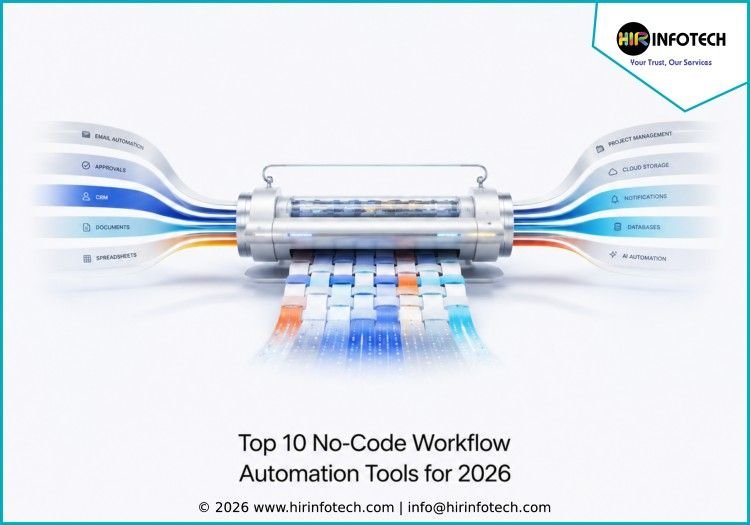
Top 10 No-Code Workflow Automation Tools for 2026

Top 10 No-Code Workflow Automation Tools 1. Zapier Zapier is one of the most widely used no-code workflow automation tools for connecting apps and automating repetitive business tasks. It helps teams move data between tools, trigger notifications, update records, create tasks, and build multi-step workflows without writing code. Key strengths:Zapier offers thousands of app integrations, no-code workflow building, AI automation features, templates, webhooks, forms, tables, and simple automation setup for non-technical users. Best for:Small businesses, marketers, agencies, sales teams, founders, and operations teams that need simple app-to-app automation. 2. Make Make is a visual workflow automation platform that helps businesses design more flexible and advanced automations. Its drag-and-drop builder allows teams to connect apps, create conditions, transform data, schedule workflows, and manage complex automation scenarios in a visual way. Key strengths:Make provides visual workflow building, advanced logic, routers, filters, data transformation, API connections, scheduling, and AI-supported automation. Best for:Growing businesses, agencies, technical marketers, data teams, and operations teams that need more control over workflow automation. 3. Microsoft Power Automate Microsoft Power Automate is a strong no-code and low-code automation platform for businesses using Microsoft 365, Teams, Outlook, SharePoint, Excel, Dynamics 365, and Azure. It helps teams automate approvals, document workflows, notifications, data syncing, and repetitive office tasks. Key strengths:Power Automate offers cloud flows, desktop automation, approval workflows, AI Builder, process mining, Microsoft integrations, and enterprise security features. Best for:Enterprises, Microsoft-based teams, finance departments, HR teams, IT teams, and businesses needing secure workflow automation. 4. Airtable Airtable combines spreadsheet-style simplicity with database power and automation features. Teams use it to manage projects, content calendars, CRM data, product workflows, inventory, research, and operations. Its automation features help users trigger actions, send updates, create records, and connect data across tools. Key strengths:Airtable offers no-code databases, automation rules, forms, interfaces, multiple views, collaboration features, integrations, and structured workflow management. Best for:Marketing teams, product teams, operations teams, agencies, startups, and businesses managing structured data-driven workflows. 5. monday.com monday.com is a visual work management platform that helps teams automate projects, tasks, approvals, reminders, status updates, and reporting. Its flexible boards make it useful for managing sales, marketing, HR, operations, product, and client service workflows. Key strengths:monday.com provides automation recipes, customizable boards, dashboards, forms, workload views, integrations, templates, and collaboration tools. Best for:Teams that need visual workflow automation, project tracking, client management, and cross-department collaboration. 6. Kissflow Kissflow is a no-code and low-code workflow automation platform built for businesses that want to automate approvals, internal requests, forms, processes, and custom business applications. It helps teams replace manual email-based processes with structured workflows that are easier to track and manage. Key strengths:Kissflow offers workflow automation, form builders, approval flows, case management, process tracking, no-code app creation, dashboards, and governance features. Best for:Operations teams, HR teams, procurement teams, finance teams, and businesses that need structured internal workflow automation. 7. Pipefy Pipefy is a workflow automation platform designed to help teams manage business processes such as approvals, onboarding, procurement, customer requests, finance workflows, and service operations. It gives teams a simple way to standardize processes and reduce repetitive manual steps. Key strengths:Pipefy offers process templates, forms, automation rules, approvals, request management, dashboards, email automation, and workflow tracking. Best for:HR teams, finance teams, procurement teams, customer service teams, and businesses that need process-based automation. 8. Process Street Process Street is a workflow and process management tool that helps businesses create checklists, standard operating procedures, approvals, and recurring workflows. It is useful for teams that need consistent execution across onboarding, client delivery, compliance, operations, and internal processes. Key strengths:Process Street provides workflow checklists, approvals, recurring tasks, conditional logic, form fields, process documentation, integrations, and team accountability features. Best for:Agencies, operations teams, HR teams, client service teams, and companies that rely on repeatable business processes. 9. Google AppSheet Google AppSheet is a no-code platform that allows businesses to build custom apps and automate workflows without coding. It works well with Google Workspace, spreadsheets, databases, and business data sources. Teams use it to create mobile apps, approval systems, field workflows, reports, and internal tools. Key strengths:AppSheet offers no-code app building, workflow automation, data-based apps, Google Workspace integration, forms, notifications, reports, and mobile-friendly workflows. Best for:Field teams, operations teams, small businesses, Google Workspace users, and companies that need custom no-code apps. 10. Workato Workato is an enterprise automation and integration platform that helps businesses connect apps, data, and workflows across departments. While it is often used by larger organizations, it also supports no-code and low-code automation through prebuilt recipes and visual workflow design. Key strengths:Workato offers app integration, workflow recipes, API connectivity, data synchronization, automation governance, security controls, and cross-functional automation. Best for:Mid-sized businesses, enterprises, IT teams, revenue teams, and companies that need secure automation across multiple systems. Why Choosing the Right Company Matters Choosing from the Top 10 No-Code Workflow Automation Tools is important because every business has different workflows, team structures, budgets, and technical skills. The right tool should reduce manual work, not create extra complexity. Businesses should first compare expertise and main use case. Some tools are best for connecting apps, while others focus on project workflows, internal approvals, process management, custom apps, or enterprise integration. Zapier and Make are useful for app-to-app automation. Airtable and monday.com are strong for visual workflow management. Kissflow, Pipefy, and Process Street are helpful for structured business processes. AppSheet supports custom no-code apps, while Workato fits more advanced integration needs. Pricing should also be reviewed carefully. Many no-code automation platforms offer starter plans, but costs can increase with more users, workflows, premium integrations, automation runs, API usage, advanced permissions, or enterprise features. Businesses should compare both current pricing and future scaling costs before choosing a platform. Data quality is another important factor. Automation depends on accurate customer data, clean records, updated project details, and consistent workflow inputs. Poor data can lead to duplicate records, missed alerts, broken workflows, wrong reports, and weak decision-making. Technology fit also matters. The best no-code workflow automation tool should integrate smoothly with existing systems such as CRM software, spreadsheets, email

Uncategorized

Top 10 AI Tools for Business Process Automation in 2026

Top 10 AI Tools for Business Process Automation 1. UiPath Short overview:UiPath is a leading AI-powered automation platform that helps businesses automate repetitive tasks, document workflows, data entry, approvals, and back-office processes. It combines robotic process automation, AI, process mining, and document understanding to improve operational efficiency. UiPath is useful for companies that need enterprise-grade automation across finance, HR, customer service, IT, and operations. Key strengths:RPA automation, AI document processing, process mining, task mining, workflow orchestration, bot management, and enterprise governance. Best for:Enterprises, banks, insurance companies, healthcare firms, shared service centers, and businesses with high-volume repetitive processes. 2. Automation Anywhere Short overview:Automation Anywhere is an AI-driven automation platform built for business process automation, robotic process automation, and intelligent workflow management. It helps companies automate manual tasks, process documents, manage bots, and improve productivity across departments. Its AI capabilities support smarter decision-making, faster process execution, and better operational control. Key strengths:AI-powered RPA, process discovery, document automation, bot orchestration, workflow analytics, enterprise security, and scalable automation. Best for:Large enterprises, finance teams, HR departments, IT teams, customer support teams, and organizations automating complex business processes. 3. Microsoft Power Automate Short overview:Microsoft Power Automate helps businesses automate workflows across Microsoft 365, Teams, SharePoint, Outlook, Excel, Dynamics, and third-party apps. It supports cloud flows, approval workflows, robotic process automation, and AI Builder. For companies already using Microsoft tools, Power Automate is a practical choice for improving productivity inside familiar business systems. Key strengths:Microsoft integration, AI Builder, approval automation, RPA support, workflow templates, cloud automation, and enterprise controls. Best for:Microsoft-based businesses, enterprises, finance teams, HR teams, operations departments, and companies using Microsoft 365 or Dynamics. 4. Workato Short overview:Workato is an enterprise automation and integration platform that helps businesses connect apps, data, teams, and workflows. It supports AI-powered automation across sales, marketing, finance, HR, IT, and customer success. Workato is useful for organizations that need strong integrations, secure workflow automation, and process orchestration across multiple departments. Key strengths:Enterprise app integration, workflow automation, AI-assisted recipes, API connectivity, data syncing, governance, and cross-functional automation. Best for:Enterprises, revenue operations teams, IT teams, SaaS companies, finance teams, and businesses managing complex workflow ecosystems. 5. ServiceNow Short overview:ServiceNow is a business workflow platform that helps companies automate IT, HR, customer service, security, operations, and enterprise service processes. With AI and workflow intelligence, ServiceNow helps businesses route requests, resolve issues, automate service delivery, and improve employee and customer experiences. It is especially useful for larger organizations with structured service operations. Key strengths:AI workflow automation, IT service management, employee workflows, customer service automation, process intelligence, and enterprise service management. Best for:Large enterprises, IT teams, HR teams, customer service departments, operations teams, and companies managing service-based workflows. 6. Appian Short overview:Appian is a low-code automation platform that combines AI, workflow automation, process mining, case management, and data integration. It helps businesses build process applications faster and automate complex workflows across departments. Appian is useful for organizations that need custom business applications with strong process control and enterprise-grade scalability. Key strengths:Low-code development, process automation, AI support, case management, process mining, data fabric, and workflow orchestration. Best for:Enterprises, financial services, government teams, insurance companies, healthcare organizations, and businesses needing custom workflow apps. 7. Pega Short overview:Pega is an enterprise platform for AI-powered decisioning, workflow automation, customer engagement, and business process management. It helps companies automate complex processes, personalize customer journeys, manage cases, and improve operational decisions. Pega is especially useful for organizations with large customer service, compliance, and operational workflow requirements. Key strengths:AI decisioning, workflow automation, case management, customer engagement, process optimization, and enterprise scalability. Best for:Banks, insurers, telecom companies, healthcare firms, government organizations, and enterprises with complex customer-facing processes. 8. IBM watsonx Orchestrate Short overview:IBM watsonx Orchestrate is an AI automation tool designed to help businesses automate tasks, connect applications, and support employees through digital assistants. It helps teams complete repetitive work such as approvals, scheduling, data updates, HR tasks, and business requests. IBM’s enterprise AI focus makes it useful for companies that need secure and governed automation. Key strengths:AI assistants, task automation, app integration, enterprise security, workflow support, employee productivity tools, and AI orchestration. Best for:Enterprises, HR teams, operations teams, IT departments, finance teams, and companies looking for AI-assisted workplace automation. 9. Zapier Short overview:Zapier is a no-code automation tool that helps businesses connect apps and automate everyday workflows. It is widely used for lead routing, email alerts, CRM updates, form submissions, task creation, and customer notifications. With AI features, Zapier helps teams build smarter workflows without needing developers or complex technical setup. Key strengths:No-code automation, app integrations, AI workflow builder, triggers, filters, multi-step workflows, templates, and simple setup. Best for:Startups, small businesses, agencies, marketers, sales teams, operations teams, and companies using multiple SaaS tools. 10. Make Short overview:Make is a visual automation platform that helps businesses design workflows across apps, APIs, databases, and internal systems. It allows teams to build automation scenarios with conditions, routing, scheduling, and error handling. Make is useful for teams that need more flexible automation logic than basic app-to-app workflows. Key strengths:Visual workflow builder, AI automation support, API connectivity, data routing, scheduling, error handling, and flexible process design. Best for:Operations teams, SaaS companies, agencies, technical marketers, startups, and businesses needing customizable workflow automation. Why Choosing the Right Company Matters Choosing from the Top 10 AI Tools for Business Process Automation is important because automation directly affects productivity, cost control, accuracy, and business growth. Every company has different process needs. Some businesses need simple task automation, while others need enterprise RPA, document processing, service workflows, case management, AI decisioning, or custom workflow applications. The right tool depends on your team size, process complexity, budget, technical skills, and existing software stack. Pricing should be reviewed carefully. AI automation tools may charge by users, bots, workflows, tasks, app connections, AI credits, or enterprise features. A tool that looks affordable at the start may become expensive as automation volume grows. Data quality also matters. Business process automation depends on accurate, updated, and well-structured data. If workflows move duplicate, outdated, or incomplete information

Scroll to Top