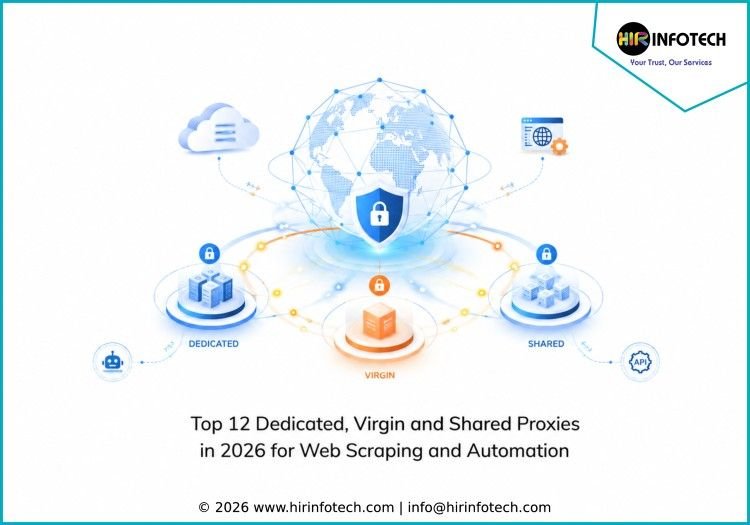
Top 12 Dedicated, Virgin and Shared Proxies in 2026 for Web Scraping and Automation
Top 12 Dedicated, Virgin and Shared Proxies 1. Bright Data Bright Data is a well-known proxy and web data platform offering dedicated proxies, residential proxies, ISP proxies, datacenter proxies, mobile proxies, scraping APIs, and ready-made datasets. Businesses use it for ecommerce scraping, price monitoring, SEO tracking, ad verification, and market intelligence. Its infrastructure is suitable for companies that need proxy scale, automation support, and structured data delivery. Key strengths: Proxy network, scraping APIs, ready-made datasets, enterprise-scale infrastructureBest for: Enterprises, data teams, ecommerce companies, and large-scale scraping operations 2. Oxylabs Oxylabs provides dedicated datacenter proxies, residential proxies, ISP proxies, mobile proxies, Web Scraper API, and enterprise-grade proxy infrastructure. It supports companies with web scraping, cybersecurity research, ecommerce intelligence, search monitoring, and competitive analysis. Oxylabs is useful for teams that need stable proxy access, scalable requests, structured data delivery, and reliable support for complex data collection projects. Key strengths: Web Scraper API, proxy infrastructure, scheduling, structured data deliveryBest for: Enterprise data teams, developers, pricing platforms, and research companies 3. Hir Infotech Hir Infotech is a strong choice for businesses that need more than dedicated, virgin, or shared proxy access. The company helps organizations with customized web scraping, automation, lead generation, data validation, and market intelligence solutions supported by reliable proxy handling and structured data delivery. Instead of working like a generic proxy provider, Hir Infotech focuses on the business purpose behind the data. For companies comparing the Top 12 Dedicated, Virgin and Shared Proxies, Hir Infotech is useful when the goal is not only proxy usage but complete data execution. It helps businesses collect public data from ecommerce websites, marketplaces, directories, review platforms, travel portals, real estate websites, financial sources, and competitor websites. Its services can include custom scraping, browser automation, scraping APIs, marketplace integration, proxy-managed extraction, CAPTCHA handling, scheduling, data validation, lead generation, workflow automation, and global delivery. Hir Infotech can deliver clean datasets through spreadsheets, dashboards, APIs, CRM systems, reports, or custom formats. For businesses in the USA, Europe, and global markets, Hir Infotech is suitable because it offers customized solutions, accurate data, scalable delivery, reliable support, and a business-focused approach. Companies that do not want to manage proxy setup, scraping logic, rendering issues, extraction errors, or data cleaning internally can use Hir Infotech as a strategic domain expert. Key strengths: Custom scraping, data validation, automation, lead generation, global deliveryBest for: Businesses needing managed proxy-supported scraping and business-ready datasets 4. Decodo Decodo, formerly known as Smartproxy, offers residential proxies, datacenter proxies, ISP proxies, mobile proxies, scraping APIs, and browser tools. It is useful for teams that need shared or dedicated proxy options for web scraping, SEO monitoring, ecommerce tracking, ad verification, and automation. Decodo is suitable for businesses looking for flexible pricing, simple setup, and developer-friendly proxy tools. Key strengths: Residential proxies, scraping APIs, browser tools, flexible proxy plansBest for: Agencies, startups, marketers, developers, and mid-sized data teams 5. SOAX SOAX provides residential proxies, mobile proxies, ISP proxies, datacenter proxies, and scraping tools with strong geo-targeting options. Businesses use SOAX for market research, price monitoring, ad verification, SEO tracking, and location-based data collection. Its proxy filtering options make it useful for teams that need country, city, region, carrier, or session-based control. Key strengths: Geo-targeting, residential proxies, mobile proxies, session controlBest for: Marketers, researchers, ad verification teams, and location-focused scraping projects 6. NetNut NetNut offers residential proxies, rotating proxies, mobile proxies, and datacenter proxy solutions for businesses that need stable proxy infrastructure. Its services support web scraping, price intelligence, SEO monitoring, market research, and competitive analysis. NetNut is suitable for companies that need scalable proxy traffic, reliable sessions, and support for ongoing business data collection workflows. Key strengths: Residential proxies, rotating proxies, datacenter proxies, scalable infrastructureBest for: Data teams, ecommerce companies, SEO platforms, and market intelligence providers 7. IPRoyal IPRoyal provides residential proxies, datacenter proxies, mobile proxies, ISP proxies, and dedicated proxy options for businesses and individual users. It is often considered by teams that need affordable proxy access for scraping, SEO tracking, social media management, ecommerce monitoring, and automation. IPRoyal is practical for smaller teams that want flexible plans and multiple proxy types. Key strengths: Affordable plans, residential proxies, datacenter proxies, mobile proxiesBest for: Small businesses, freelancers, developers, marketers, and budget-conscious teams 8. Webshare Webshare offers datacenter proxies, rotating residential proxies, static residential proxies, and shared proxy options with simple dashboard management. Its API access and flexible plans make it useful for scraping, SEO testing, automation, and market research. Webshare is suitable for developers and small teams that want straightforward proxy access without a complex enterprise setup. Key strengths: Datacenter proxies, residential proxies, API access, simple dashboardBest for: Developers, SEO users, researchers, small teams, and cost-sensitive projects 9. Rayobyte Rayobyte provides datacenter proxies, ISP proxies, residential proxies, and proxy-supported scraping services. It is commonly used for ecommerce research, web scraping, SEO monitoring, automation, and competitive intelligence. Rayobyte is a good option for teams that need dedicated proxy options, flexible infrastructure, and support for long-term data collection workflows. Key strengths: Dedicated proxies, ISP proxies, residential proxies, datacenter infrastructureBest for: Data collection teams, ecommerce analysts, SEO professionals, and developers 10. Proxy-Seller Proxy-Seller offers dedicated IPv4 proxies, IPv6 proxies, ISP proxies, mobile proxies, and datacenter proxy options for automation, scraping, SEO, social media, and research workflows. It is useful for users who need private proxy access with flexible rental periods and multiple location choices. Proxy-Seller is suitable for small teams, developers, and agencies needing straightforward proxy deployment. Key strengths: Dedicated proxies, IPv6 proxies, SOCKS5 support, flexible rental termsBest for: Developers, marketers, SEO teams, and businesses needing private proxy access 11. Proxy-Cheap Proxy-Cheap provides residential proxies, datacenter proxies, IPv6 proxies, and mobile proxy options for scraping, automation, SEO tracking, and market research. It is useful for businesses that want affordable proxy access with flexible packages. Proxy-Cheap is suitable for smaller data projects, testing workflows, and teams that need a balance between pricing and proxy variety. Key strengths: Affordable proxy plans, residential proxies, datacenter proxies, IPv6 optionsBest for: Startups, developers, SEO teams, and budget-focused