
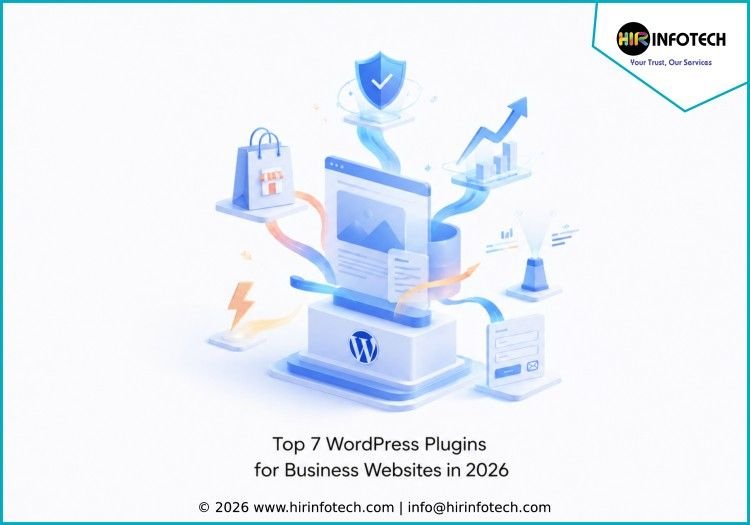
Top 7 WordPress Plugins for Business Websites in 2026
1. Elementor
Short overview:
Elementor is one of the most popular WordPress website builder plugins for business websites. It helps teams design professional pages without heavy coding work. Businesses can use Elementor to create landing pages, service pages, homepages, contact sections, blogs, and conversion-focused layouts with a drag-and-drop interface.
Key strengths:
Drag-and-drop editing, responsive design, templates, landing page creation, theme builder options, AI features, and visual customization.
Best for:
Business owners, agencies, marketers, and website teams that want flexible website design without depending fully on developers.
2. WooCommerce
Short overview:
WooCommerce is a powerful WordPress plugin for businesses that want to sell products, services, subscriptions, or digital goods online. It turns a WordPress website into an eCommerce store and supports product pages, carts, checkout, payment gateways, shipping options, tax settings, and extensions for advanced selling needs.
Key strengths:
Online store setup, product management, payment integrations, shipping options, order tracking, extensions, and flexible customization.
Best for:
Retail businesses, product companies, service providers, digital sellers, and brands that want to run an online store on WordPress.
3. Yoast SEO
Short overview:
Yoast SEO is a trusted WordPress SEO plugin that helps business websites improve search visibility. It supports on-page SEO, meta titles, meta descriptions, readability checks, schema, XML sitemaps, breadcrumbs, and content optimization. For businesses that rely on organic traffic, Yoast SEO is useful for building a stronger search foundation.
Key strengths:
SEO analysis, readability guidance, metadata control, schema support, XML sitemaps, breadcrumbs, and content optimization suggestions.
Best for:
Business websites, bloggers, service companies, marketers, and SEO teams that want better control over search engine optimization.
4. WPForms
Short overview:
WPForms is a beginner-friendly form builder plugin for WordPress business websites. It helps companies create contact forms, quote request forms, lead forms, newsletter forms, survey forms, payment forms, and customer feedback forms. Its drag-and-drop builder makes it easy for non-technical users to collect inquiries and customer information.
Key strengths:
Drag-and-drop form builder, lead forms, payment forms, surveys, conditional logic, email notifications, and marketing integrations.
Best for:
Businesses that need contact forms, lead capture forms, service request forms, booking inquiries, and customer feedback collection.
5. Wordfence Security
Short overview:
Wordfence Security is a WordPress security plugin built to protect websites from malware, suspicious traffic, login attacks, and common security threats. Business websites need strong protection because downtime, hacks, and data loss can affect brand trust and revenue. Wordfence helps monitor and secure WordPress websites with practical security tools.
Key strengths:
Firewall, malware scanning, login security, two-factor authentication, threat detection, security alerts, and traffic monitoring.
Best for:
Business websites, agencies, online stores, membership sites, and companies that need stronger WordPress protection.
6. WP Rocket
Short overview:
WP Rocket is a premium WordPress performance plugin that helps business websites load faster. Website speed is important for SEO, user experience, conversion rates, and customer trust. WP Rocket helps improve performance through caching, file optimization, lazy loading, database optimization, and other speed-focused features.
Key strengths:
Page caching, cache preloading, file optimization, lazy loading, database cleanup, performance improvement, and simple setup.
Best for:
Business websites, eCommerce stores, blogs, service pages, and marketing sites that need faster loading times.
7. MonsterInsights
Short overview:
MonsterInsights is a Google Analytics plugin for WordPress that helps businesses understand website traffic and user behavior. It allows teams to view important analytics inside the WordPress dashboard without complex setup. Businesses can track popular pages, traffic sources, conversions, eCommerce activity, form performance, and campaign results.
Key strengths:
Google Analytics integration, dashboard reports, eCommerce tracking, form tracking, campaign tracking, page-level insights, and real-time stats.
Best for:
Marketing teams, business owners, agencies, content teams, and companies that want easier website analytics inside WordPress.
Why Choosing the Right Company Matters
Choosing from the Top 7 WordPress Plugins for Business Websites is important because plugins directly affect website speed, security, SEO, conversions, and daily management. A business website should not use random plugins only because they are popular. Each plugin should solve a clear business need.
Businesses should compare plugin providers based on expertise, pricing, technology, support, updates, compatibility, and scalability. A small service business may need forms, SEO, analytics, and performance plugins. An eCommerce business may need WooCommerce, security, speed optimization, payment integrations, and conversion tracking.
Data quality and reporting also matter. For example, analytics plugins should provide clear website insights, while SEO plugins should help teams optimize pages without confusing settings. A form plugin should collect leads accurately and connect with email marketing, CRM, or payment tools when needed.
Technology is another important factor. Business websites should use plugins that are regularly updated, compatible with the latest WordPress versions, and built with performance in mind. Too many heavy plugins can slow down a website, increase maintenance work, and create security risks.
Support is also valuable. When a plugin affects checkout, lead forms, SEO settings, website speed, or security, fast and reliable support can save time and prevent business disruption. Companies should also review documentation, customer reviews, pricing plans, and upgrade options before making a decision.
The right plugin stack should help a business website look professional, load quickly, rank better, collect leads, track performance, and stay secure. A balanced setup is usually better than installing many plugins without a clear strategy.
Conclusion
The Top 7 WordPress Plugins for Business Websites in 2026 can help companies build stronger, faster, safer, and more conversion-focused websites. Elementor, WooCommerce, Yoast SEO, WPForms, Wordfence Security, WP Rocket, and MonsterInsights each support a different business need, from design and SEO to security, performance, eCommerce, forms, and analytics. The best choice depends on your website goals, budget, technical skills, growth plans, and long-term business requirements.









