
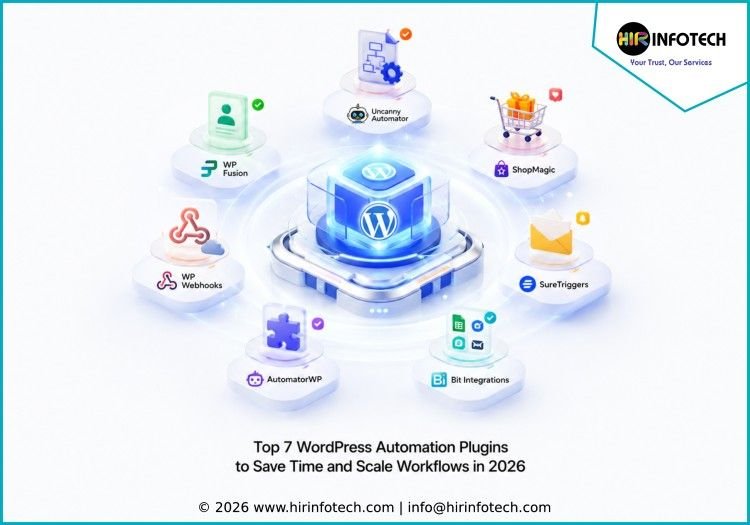
Top 7 WordPress Automation Plugins List
1. Uncanny Automator
Short Overview:
Uncanny Automator is one of the most popular WordPress automation plugins for connecting WordPress plugins, websites, and third-party apps without writing code. It allows users to create automation “recipes” based on triggers and actions. For example, when someone submits a form, buys a product, completes a course, or registers on a site, another action can happen automatically.
Key Strengths:
Uncanny Automator is strong in no-code workflow building, plugin integrations, WooCommerce automation, LMS automation, webhooks, user actions, CRM connections, and app integrations. It is useful for businesses that want to automate daily WordPress tasks from one central dashboard.
Best For:
Business websites, WooCommerce stores, membership sites, LMS platforms, agencies, course creators, and WordPress users needing flexible automation.
2. AutomatorWP
Short Overview:
AutomatorWP is a flexible WordPress automation plugin that helps users connect plugins, apps, and website actions together. It works through triggers and actions, allowing businesses to automate tasks such as sending emails, updating user data, awarding achievements, connecting forms, and integrating with external tools. It is a practical option for teams that want open and customizable automation inside WordPress.
Key Strengths:
AutomatorWP is strong in plugin-to-plugin automation, user activity tracking, form automation, LMS workflows, membership triggers, WooCommerce actions, and integration extensions. Its flexible setup makes it useful for sites with many moving parts.
Best For:
Online communities, membership websites, course platforms, WooCommerce stores, agencies, and businesses needing custom WordPress automation flows.
3. WP Webhooks
Short Overview:
WP Webhooks is a powerful WordPress automation plugin designed for businesses that want to connect WordPress with external apps, APIs, and services using webhooks. It allows users to send and receive data, trigger workflows, automate repetitive tasks, and build advanced integrations without relying only on traditional plugin connections. It is especially useful for technical users and teams that need deeper workflow control.
Key Strengths:
WP Webhooks is strong in webhook automation, API-based workflows, custom integrations, incoming and outgoing data flows, WooCommerce automation, form connections, and developer-friendly automation. It gives teams more control over how WordPress communicates with other systems.
Best For:
Developers, agencies, SaaS teams, technical marketers, WooCommerce stores, and businesses needing webhook-based automation.
4. Bit Integrations
Short Overview:
Bit Integrations is a no-code WordPress automation plugin that helps users connect forms, WooCommerce, CRM tools, email marketing platforms, Google Sheets, LMS tools, and other third-party apps. It is built for businesses that want to send WordPress data to other platforms automatically without complex setup. It is especially useful for lead capture and operational workflows.
Key Strengths:
Bit Integrations is strong in form automation, CRM integration, spreadsheet updates, WooCommerce workflows, email marketing connections, LMS integrations, and real-time data transfer. It helps reduce repetitive admin work and improves data movement between tools.
Best For:
Small businesses, marketers, agencies, WordPress site owners, ecommerce stores, and teams needing simple no-code integrations.
5. SureTriggers
Short Overview:
SureTriggers is a WordPress automation platform designed to connect websites, plugins, and business apps through simple workflow automation. It helps users automate tasks such as form submissions, email actions, course updates, CRM updates, payment events, and customer follow-ups. SureTriggers is useful for businesses that want automation across both WordPress and external SaaS tools.
Key Strengths:
SureTriggers is strong in no-code automation, app connections, WordPress workflows, CRM updates, form-based triggers, WooCommerce actions, and multi-step automations. It is designed to help businesses build workflows without hiring developers for every integration.
Best For:
Entrepreneurs, agencies, online course businesses, ecommerce stores, marketers, and small businesses automating website operations.
6. WP Fusion
Short Overview:
WP Fusion is a WordPress automation plugin focused on connecting WordPress sites with CRM and marketing automation platforms. It helps businesses sync user data, apply tags, control access, track activity, and personalize experiences based on customer behavior. It is especially useful for membership websites, online learning platforms, and businesses that rely heavily on CRM workflows.
Key Strengths:
WP Fusion is strong in CRM integration, user tagging, marketing automation, membership access control, customer segmentation, LMS tracking, and personalized user journeys. It helps businesses create smarter customer workflows using WordPress behavior data.
Best For:
Membership sites, course creators, coaching businesses, CRM-driven teams, marketers, and businesses using customer segmentation.
7. ShopMagic
Short Overview:
ShopMagic is a WooCommerce automation plugin built to help online stores automate customer emails, order follow-ups, abandoned cart messages, review requests, and post-purchase workflows. It helps ecommerce businesses improve communication without manually managing every customer interaction. ShopMagic is useful for stores that want better retention, repeat purchases, and customer engagement.
Key Strengths:
ShopMagic is strong in WooCommerce email automation, order-based triggers, customer follow-ups, abandoned cart recovery, review requests, marketing automation, and post-purchase workflows. It helps store owners create automated customer journeys inside WooCommerce.
Best For:
WooCommerce stores, ecommerce brands, online retailers, marketers, and businesses focused on customer retention and automated communication.
Why Choosing the Right Company Matters
Choosing the right provider from the Top 7 WordPress Automation Plugins matters because every WordPress website has different workflow needs. A simple business website may only need form-to-email or form-to-CRM automation. A WooCommerce store may need order updates, abandoned cart workflows, customer follow-ups, and inventory-related triggers. A membership or course website may need user tagging, access control, certificate workflows, and student engagement automation.
Businesses should compare expertise before selecting a plugin. Some tools are better for no-code users, while others are more suitable for developers, agencies, or advanced API workflows. Uncanny Automator and AutomatorWP are useful for broad WordPress plugin automation. WP Webhooks is stronger for webhook and API-driven workflows. WP Fusion is better for CRM-connected websites. ShopMagic is more focused on WooCommerce automation.
Pricing is also important. Some plugins offer free versions, while advanced features may require paid plans, add-ons, or higher-tier licenses. Businesses should check whether the cost fits their workflow volume, number of websites, integrations, and support needs.
Technology and compatibility matter as well. A good WordPress automation plugin should work smoothly with your forms, ecommerce platform, CRM, LMS, email marketing software, payment tools, and page builder. Poor compatibility can create broken workflows, duplicate data, failed triggers, or missed customer actions.
Data quality and reliability are also key. Automation is only useful when the right data moves at the right time. Businesses should look for plugins that support logs, error handling, testing, conditional logic, and clear workflow tracking.
Support and scalability should not be ignored. As a website grows, automation requirements become more complex. The right plugin should support new integrations, larger workflows, multiple team members, and future business needs without forcing a complete rebuild.
Conclusion
The Top 7 WordPress Automation Plugins help businesses save time, reduce manual tasks, connect tools, and create smoother website workflows. In 2026, WordPress automation is useful for more than simple form notifications. It now supports CRM updates, WooCommerce workflows, LMS actions, email marketing, webhooks, customer journeys, and business process automation.
Uncanny Automator, AutomatorWP, WP Webhooks, Bit Integrations, SureTriggers, WP Fusion, and ShopMagic each serve different automation needs. The best choice depends on your website type, technical comfort level, integrations, budget, and growth goals.
By choosing the right WordPress automation plugin, businesses can improve efficiency, reduce repetitive work, and build a more connected website ecosystem.









