
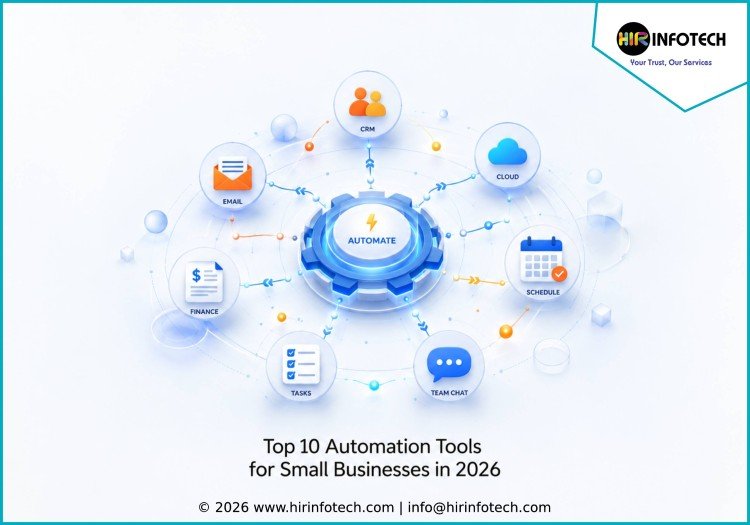
Top 10 Automation Tools for Small Businesses
1. Zapier
Zapier is one of the most popular automation tools for small businesses because it connects thousands of apps without requiring coding skills. It helps teams automate repetitive tasks such as sending lead notifications, updating spreadsheets, creating CRM records, and syncing data between marketing, sales, and operations tools.
Key strengths:
Zapier offers no-code automation, app integrations, multi-step workflows, AI-powered automation support, templates, and simple setup for non-technical users.
Best for:
Small businesses, agencies, marketers, founders, and operations teams that need easy app-to-app automation.
2. Make
Make is a visual automation platform that helps businesses build more advanced workflows across apps, databases, CRMs, email tools, spreadsheets, and internal systems. Its drag-and-drop interface makes it easier to design automation scenarios with conditions, filters, routing, and scheduled actions.
Key strengths:
Make provides visual workflow building, API connections, data transformation, conditional logic, scheduling, error handling, and flexible automation design.
Best for:
Growing small businesses, technical marketers, agencies, and teams that need more control over automation workflows.
3. HubSpot
HubSpot is a CRM and marketing automation platform that helps small businesses manage leads, sales pipelines, emails, customer communication, and marketing campaigns. It is useful for companies that want customer relationship management, email marketing, forms, live chat, and automation in one connected system.
Key strengths:
HubSpot offers CRM automation, email workflows, lead tracking, contact management, sales pipeline automation, landing pages, forms, and reporting tools.
Best for:
Small businesses, B2B companies, agencies, and sales teams that need CRM and marketing automation together.
4. monday.com
monday.com is a work management platform that helps small businesses automate project tracking, task assignments, approvals, reminders, and team workflows. Its visual boards make it easy to manage projects, clients, campaigns, operations, and internal processes from one place.
Key strengths:
monday.com provides workflow automation, customizable boards, dashboards, task tracking, forms, templates, integrations, and team collaboration features.
Best for:
Small teams, agencies, operations teams, and service businesses that need visual project and workflow automation.
5. QuickBooks Online
QuickBooks Online is an accounting and finance automation tool designed for small businesses that need to manage invoices, expenses, payments, payroll, taxes, and financial reporting. It helps reduce manual bookkeeping and gives business owners better visibility into cash flow and financial health.
Key strengths:
QuickBooks Online offers invoice automation, expense tracking, bank syncing, payment reminders, payroll support, tax tools, reports, and accounting integrations.
Best for:
Small businesses, freelancers, consultants, retailers, and service providers that need finance and accounting automation.
6. Mailchimp
Mailchimp is a marketing automation platform used by small businesses to manage email campaigns, customer journeys, newsletters, landing pages, and audience segmentation. It helps companies stay connected with customers through automated emails, behavior-based messages, and campaign performance tracking.
Key strengths:
Mailchimp provides email automation, audience segmentation, campaign templates, landing pages, customer journeys, analytics, and marketing CRM features.
Best for:
Small businesses, e-commerce brands, creators, local businesses, and marketers that need simple email marketing automation.
7. ActiveCampaign
ActiveCampaign is a customer experience automation platform that combines email marketing, CRM, sales automation, and customer journey workflows. It is useful for small businesses that want more advanced automation than basic email tools, especially for nurturing leads and improving customer engagement.
Key strengths:
ActiveCampaign offers email automation, CRM workflows, lead scoring, segmentation, sales automation, customer journeys, and personalized messaging.
Best for:
Small businesses, online service providers, B2B teams, coaches, agencies, and e-commerce brands that need advanced marketing automation.
8. Calendly
Calendly helps small businesses automate appointment scheduling, sales calls, consultations, interviews, demos, and client meetings. Instead of sending multiple emails to find a time, users can share a booking link and let clients choose available slots based on calendar availability.
Key strengths:
Calendly offers automated scheduling, calendar syncing, reminder emails, meeting routing, team scheduling, payment collection, and integration with video tools.
Best for:
Consultants, sales teams, agencies, recruiters, coaches, service providers, and businesses that book frequent meetings.
9. Trello
Trello is a simple project and task management tool that helps small businesses organize work using boards, lists, and cards. Its automation feature, Butler, allows users to create rules for moving cards, assigning tasks, setting due dates, and triggering reminders.
Key strengths:
Trello provides visual task management, automation rules, checklists, due dates, labels, templates, calendar views, and integrations with common business tools.
Best for:
Freelancers, startups, small teams, content teams, and businesses that need lightweight project automation.
10. Slack
Slack is a team communication platform that also supports workflow automation for small businesses. Teams can use Slack to automate notifications, approvals, reminders, updates, and internal communication across different tools. It helps reduce scattered messages and keeps teams aligned.
Key strengths:
Slack offers workflow automation, app integrations, channels, reminders, alerts, file sharing, team communication, and AI-supported productivity features.
Best for:
Remote teams, startups, agencies, customer support teams, and small businesses that need faster internal communication.
Why Choosing the Right Company Matters
Choosing from the Top 10 Automation Tools for Small Businesses is important because every business has different workflows, budgets, team sizes, and growth goals. The right automation tool should reduce manual work, not create extra complexity.
Small businesses should first compare expertise and main use case. Some tools are best for app-to-app automation, while others focus on marketing, CRM, finance, scheduling, communication, or project management. A service business may need Calendly, HubSpot, and QuickBooks, while an agency may benefit more from Zapier, Make, monday.com, and Slack.
Pricing is another important factor. Many automation tools offer affordable entry-level plans, but costs can increase with more users, workflows, contacts, premium integrations, advanced automation, or reporting features. Business owners should compare both current pricing and future scaling costs.
Data quality also matters. Automation depends on accurate customer records, clean contact lists, clear task details, and reliable business information. Poor data can create duplicate records, wrong emails, missed reminders, broken workflows, and weak reporting.
Technology fit should also be reviewed carefully. The best automation platform should connect with the tools your team already uses, such as CRM software, accounting platforms, email marketing tools, calendars, spreadsheets, customer support systems, and project management apps.
Support and scalability are equally important. As a small business grows, automation needs become more complex. Teams may need better permissions, advanced workflows, custom integrations, faster support, and stronger reporting. Choosing scalable tools helps avoid future migration problems.
The right automation tools can help small businesses save time, improve accuracy, respond faster to customers, manage operations smoothly, and focus more on growth.
Conclusion
The Top 10 Automation Tools for Small Businesses in 2026 help companies automate daily tasks, manage customers, improve communication, track projects, schedule meetings, handle finance, and run marketing campaigns more efficiently.
Zapier, Make, HubSpot, monday.com, QuickBooks Online, Mailchimp, ActiveCampaign, Calendly, Trello, and Slack each offer different strengths for different business needs. The best choice depends on your goals, budget, workflow complexity, data quality, integrations, and long-term growth plans.
By comparing pricing, features, technology, support, and scalability, small businesses can choose automation tools that reduce manual work and support smarter operations in 2026.









