
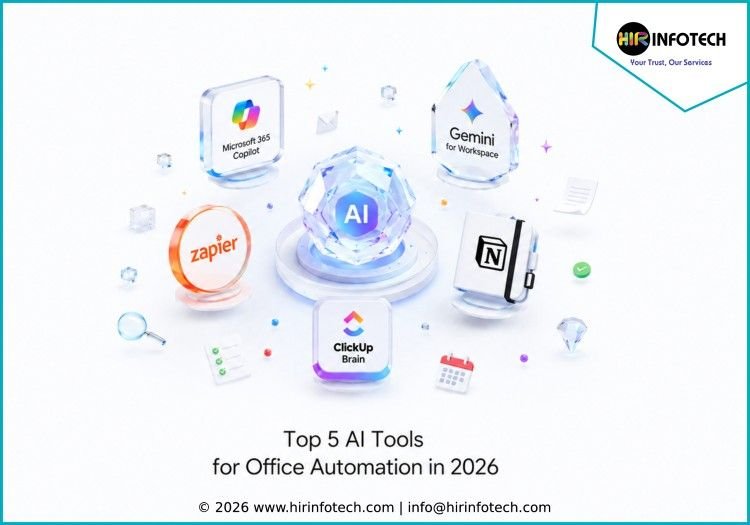
Top 5 AI Tools for Office Automation List
1. Microsoft 365 Copilot
Short Overview:
Microsoft 365 Copilot is one of the strongest AI tools for office automation, especially for companies already using Microsoft Word, Excel, Outlook, Teams, PowerPoint, and SharePoint. It helps employees write documents, summarize meetings, analyze spreadsheets, create presentations, draft emails, and find information across business files.
For office teams, Microsoft 365 Copilot works well because it fits directly into everyday work. Instead of switching between many tools, users can ask Copilot to summarize a long email thread, prepare meeting notes, create a project update, generate a report, or pull insights from company documents.
Key Strengths:
Microsoft 365 Copilot is strong in document automation, meeting summaries, email drafting, spreadsheet analysis, presentation creation, internal search, and workflow productivity. Its deep connection with Microsoft 365 makes it useful for teams that depend on Office apps every day.
Best For:
Enterprises, corporate teams, finance teams, HR teams, sales teams, operations teams, and businesses using Microsoft 365.
2. Google Gemini for Workspace
Short Overview:
Google Gemini for Workspace helps teams automate daily office tasks inside Gmail, Docs, Sheets, Slides, Meet, and Drive. It supports writing, summarizing, brainstorming, data analysis, meeting assistance, and content creation. Businesses using Google Workspace can use Gemini to reduce repetitive work and improve collaboration across departments.
Gemini can help teams draft emails, summarize documents, create slide outlines, organize spreadsheet data, prepare meeting notes, and generate ideas for campaigns or internal projects. It is especially useful for businesses that rely on cloud collaboration and real-time teamwork.
Key Strengths:
Google Gemini for Workspace is strong in email automation, document writing, meeting support, spreadsheet assistance, file search, presentation support, and collaboration workflows. Its value comes from being built into tools many teams already use daily.
Best For:
Small businesses, startups, agencies, remote teams, marketing teams, education teams, and companies using Google Workspace.
3. Zapier
Short Overview:
Zapier is a no-code automation platform that helps businesses connect apps and automate office workflows. It is not limited to one office suite, which makes it useful for teams using many tools together. Businesses can connect apps like Gmail, Slack, Google Sheets, HubSpot, Trello, Notion, Salesforce, Airtable, and many others.
Zapier helps automate repetitive office tasks such as moving form submissions into spreadsheets, sending email alerts, updating CRM records, creating tasks, saving attachments, and triggering follow-ups. Its AI features also support smarter workflows, AI agents, and automated task handling across connected apps.
Key Strengths:
Zapier is strong in no-code workflow automation, app integrations, AI workflow creation, webhooks, task routing, form automation, CRM updates, and cross-team productivity. It is useful when teams want to automate work without depending on developers.
Best For:
Small businesses, marketers, agencies, sales teams, operations teams, customer support teams, and companies using multiple business apps.
4. Notion AI
Short Overview:
Notion AI is a useful office automation tool for teams that manage notes, documents, projects, knowledge bases, meeting notes, and internal workflows in one workspace. It helps users write content, summarize information, answer questions, create task lists, organize knowledge, and automate repetitive documentation work.
For office teams, Notion AI can reduce the time spent searching through documents or rewriting updates. It can summarize project pages, create meeting follow-ups, generate content drafts, organize ideas, and help teams turn scattered information into clear action items.
Key Strengths:
Notion AI is strong in knowledge management, document automation, meeting notes, project summaries, content drafting, internal search, task planning, and team collaboration. It is especially useful for companies that want one shared workspace for information and execution.
Best For:
Startups, content teams, product teams, project managers, agencies, remote teams, and businesses using Notion as a central workspace.
5. ClickUp Brain
Short Overview:
ClickUp Brain is an AI assistant built into ClickUp’s productivity and project management platform. It helps teams automate project updates, summarize tasks, generate content, answer questions about work, create action items, and connect information from tasks, docs, people, and projects.
For office automation, ClickUp Brain is useful because it connects AI with project execution. Teams can use it to summarize progress, draft updates, create task descriptions, review project details, and reduce time spent checking multiple boards or documents. It helps businesses turn office communication into clearer workflows.
Key Strengths:
ClickUp Brain is strong in task automation, project summaries, document assistance, team knowledge search, meeting follow-ups, content generation, and productivity management. It works best when teams already manage work inside ClickUp.
Best For:
Project managers, operations teams, agencies, SaaS teams, marketing teams, product teams, and businesses using ClickUp for work management.
Why Choosing the Right Company Matters
Choosing the right company from the Top 5 AI Tools for Office Automation matters because every business has different workflows, tools, team sizes, and automation needs. A tool that works well for one company may not be the best choice for another.
Businesses should compare expertise and product focus before choosing an AI office automation tool. Microsoft 365 Copilot is ideal for companies using Microsoft apps. Google Gemini for Workspace is better for teams working inside Google tools. Zapier is strong for connecting many apps. Notion AI is useful for documentation and knowledge management. ClickUp Brain works well for project and task automation.
Pricing is also important. Some tools charge per user, while others charge based on tasks, credits, features, or workspace size. A small business may need a simple AI assistant, while a larger company may need enterprise security, admin controls, user permissions, and advanced workflow automation.
Data quality and security should also be reviewed carefully. Office automation tools often work with emails, documents, meeting notes, customer records, financial sheets, and internal files. Businesses should check how each platform handles access control, privacy, data protection, and permission management.
Technology and integrations matter as well. The best AI office automation tool should work smoothly with your existing apps, CRM, email platform, project management system, storage tools, and communication channels. If a tool does not connect well with your current workflow, employees may avoid using it.
Support and scalability are also important. As companies grow, their automation needs become more complex. Teams may need onboarding, training, admin support, workflow templates, reporting, and stronger governance. The right platform should support both current needs and future growth.
Conclusion
The Top 5 AI Tools for Office Automation help businesses reduce repetitive work, improve communication, automate documents, manage meetings, organize tasks, and increase productivity. In 2026, office automation is no longer limited to simple reminders or email templates. AI tools now help teams write, summarize, analyze, plan, and act faster across daily business workflows.
Microsoft 365 Copilot, Google Gemini for Workspace, Zapier, Notion AI, and ClickUp Brain each offer different strengths. The best option depends on your office tools, budget, workflow complexity, team size, and long-term productivity goals.
By choosing the right AI office automation tool, businesses can save time, reduce errors, improve collaboration, and help teams focus on higher-value work.









