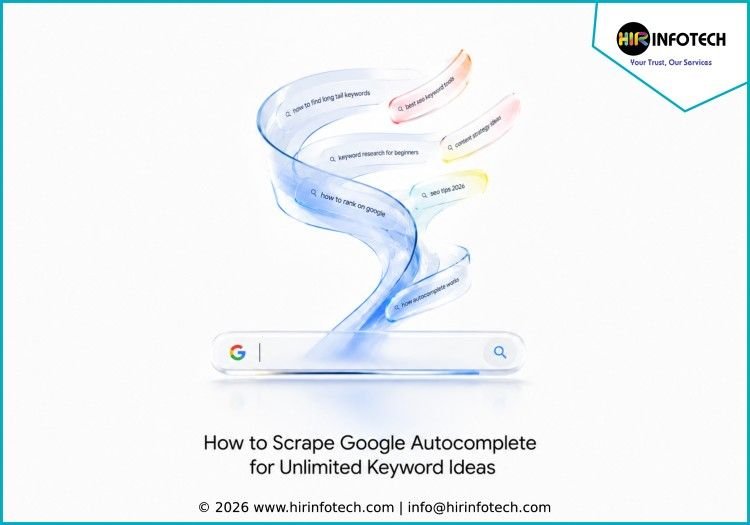
How to Scrape Google Autocomplete for Unlimited Keyword Ideas
Introduction
Google Autocomplete predicts searches as users type, offering a real-time window into what people are actually looking for. For SEO professionals and content strategists, scraping these suggestions unlocks a continuous stream of long-tail keyword ideas—often revealing intent patterns that traditional keyword tools miss entirely.
What Google Autocomplete Actually Reveals
Google Autocomplete is designed to speed up searching by predicting queries before a user finishes typing. But from a data perspective, those predictions are gold. They are generated from real search behavior, including trending volume, user location, search history patterns, and semantic connections between entities.
When you type “how to fix” into Google, the suggestions that appear—like “how to fix leaky faucet” or “how to fix low water pressure”—are not random. They represent the most common completions people actually use. That means every suggestion is a validated keyword opportunity.
The critical insight for SEO is this: autocomplete suggestions are not just shorter versions of popular keywords. They often reveal the specific phrasing, questions, and intent modifiers that real people use—language that may never appear in traditional keyword databases.
Why Scrape Google Autocomplete for Keyword Research
Traditional keyword research tools have a blind spot. They aggregate data and present averages. But they rarely show you the emergent patterns—the sudden rise of a new question format, the regional phrasing variation, or the specific comparison language your audience prefers.
Scraping Google Autocomplete directly solves this problem because you are pulling live data from Google’s own suggestion engine. The benefits include real-time trend detection, as suggestions shift based on recent search spikes, news events, and seasonal patterns. Scraping regularly helps you spot rising topics before they become competitive.
Long-tail keyword discovery is another major advantage. Broad keywords are crowded. Autocomplete reveals the specific, lower-competition phrases that indicate clear intent—like “affordable freelance accountant for small business” rather than just “accountant.”
Intent classification becomes possible through suggestion phrasing. The way a suggestion is worded tells you what the searcher wants. “How to choose” indicates research intent. “Best vs” signals comparison. “Near me” suggests local purchase readiness. Additionally, a single seed keyword can generate dozens of content angles through autocomplete variations.
Manual Methods for Scraping Google Autocomplete
Before implementing automation, understand the manual techniques. These are useful for small-scale research and for understanding what your automated scrapers should capture.
The Seed Phrase Method
Start with a core topic relevant to your business. Type it into Google slowly and observe the predictions. Each suggestion represents a direction worth exploring.
For example, if your seed phrase is “freelance accountant,” autocomplete might show suggestions like freelance accountant near me, freelance accountant rates, freelance accountant for freelancers, and freelance accountant software. Each variation points to a distinct content need—local intent, pricing expectations, audience specificity, or tool comparisons.
Letter Expansion Technique
After capturing seed variations, add a letter to the end of your phrase. Type “freelance accountant a” and note the completions. Then “freelance accountant b,” and so on through the alphabet. This technique, while tedious manually, reveals dozens of variations that would never appear from the seed phrase alone.
Question Word Expansion
Prefix your seed phrase with question words: how, what, when, why, can, does. These frequently produce blog-ready topics and FAQ content that mirrors actual search behavior.
Modifier Expansion
Add intent-modifying words before or after your seed: best, affordable, local, online, vs, alternative, review, cost. Each modifier captures a different stage of the buyer journey.
Automating Google Autocomplete Scraping
Manual collection does not scale. For ongoing keyword research across hundreds or thousands of seed terms, automation is essential.
Understanding Google’s Autocomplete Endpoint
Google serves autocomplete suggestions through a backend API endpoint. When you type into the search box, your browser sends requests to a URL like https://suggestqueries.google.com/complete/search?client=firefox&q=your+keyword. The response typically comes in JSON format containing the list of suggestions. This endpoint is what automated scrapers target.
Key Parameters for Autocomplete Scraping
To get useful results, you need to configure several parameters correctly. The query parameter holds your seed keyword or partial phrase. The gl parameter uses a two-letter country code for localized results such as “us”, “de”, or “gb”. The hl parameter sets the language code like “en” or “de”. The maxItems parameter controls how many suggestions to return.
The gl parameter is particularly important for multi-market research. The same seed keyword can generate completely different autocomplete suggestions in the United States versus Germany versus Thailand, reflecting local search behavior and language nuances.
Using Pre-Built Scraping Tools
For teams without in-house scraping infrastructure, several pre-built tools handle autocomplete extraction reliably.
Apify’s Google Autocomplete Scraper offers a ready-to-use actor that returns structured JSON data including the suggestion text, position, and optionally entity names from Google’s Knowledge Graph when relevant. Configuration requires only the seed queries, country code, and language code.
Key features to look for in a scraper include alphabet expansion, which automatically fans each seed into 36 child queries (seed plus letters a through z plus common prefixes), generating up to 360 keyword ideas per seed. Knowledge Graph enrichment identifies when suggestions correspond to known entities like brands or people, which often signals higher commercial intent. Country and language targeting supports 200+ country domains for localized keyword discovery.
Technical Considerations for Custom Scraping
If building your own scraper, note that Google’s autocomplete endpoint does not require JavaScript rendering for basic requests. However, several challenges exist.
Rate limiting is a primary concern. Automated requests to Google’s endpoints trigger rate limits. You need proxy rotation and request throttling to avoid blocks.
For applications using the Places API autocomplete for maps and location data, Google recommends using session tokens. A session starts with the first autocomplete request containing a session token and terminates with a Place Details request. The first 12 autocomplete requests in a session are billed, but additional requests in the same session are typically not charged.
For browser-based automation using tools like Selenium, the autocomplete dropdown disappears when focus leaves the search box, making DOM inspection difficult. A reliable workaround is to trigger the dropdown using keyboard events, such as sending the down arrow key, before extracting the suggestion list.
Turning Scraped Data into Actionable SEO Strategy
Collecting autocomplete suggestions is only the first step. The real value comes from how you process and apply the data.
Grouping by Intent
Once you have extracted suggestions, categorize them by the intent they reveal. Informational suggestions include how, what, why, guide, tutorial, and steps. Commercial investigation includes best, vs, review, comparison, and top. Transactional includes buy, price, cost, near me, services, and hire. Navigational includes specific brand names, product names, and tool names.
This grouping directly informs content format decisions. Informational queries become blog posts. Commercial queries become comparison pages or roundups. Transactional queries signal service page optimization opportunities.
Building Topic Clusters
Autocomplete suggestions naturally form clusters around related subtopics. For example, scraping “content strategy” might yield suggestions about content strategy framework, content strategy for small business, content strategy vs content marketing, and how to create a content strategy.
These four suggestions are not separate keywords. They represent a pillar topic of content strategy fundamentals supported by cluster content covering small business adaptations, differentiation explanations, and process guides. Map each extracted suggestion to a specific page type and ensure internal linking between related pieces.
Prioritizing by Opportunity
Not all autocomplete suggestions deserve equal investment. Prioritize based on relevance to your service offering, estimated conversion potential, and the competitive landscape.
Commercial and transactional intent usually ranks higher than pure informational for conversion-focused businesses. Additionally, assess whether search results are dominated by major publishers or whether there is room for a specialist. Informational suggestions feed top-of-funnel awareness content. Commercial suggestions drive middle-funnel comparison content. Transactional suggestions optimize bottom-funnel conversion pages.
Multi-Market Autocomplete Research
For businesses operating across multiple countries, running autocomplete scraping separately per market is essential.
The same seed keyword for the United States versus Germany versus Thailand can produce meaningfully different suggestion sets due to local search behavior, language, and cultural context.
Run your seed list through each target location using the appropriate country codes for USA, Germany, United Kingdom, France, Italy, Russia, Spain, Netherlands, Switzerland, Poland, Ireland, Australia, Canada, Thailand, and Hong Kong. Compare the resulting suggestion sets to identify universal suggestions that appear across multiple markets as safe bets for translated content, market-specific suggestions that appear only in one country as localization priorities, and gap opportunities where your competitors appear in autocomplete for one market but not another.
Why Hir Infotech Recommends Autocomplete Scraping
At Hir Infotech, we have built our web scraping practice around the principle that the most valuable data is often publicly accessible but structurally difficult to collect at scale. With over 13 years of experience and service coverage across real estate, retail, healthcare, travel, and technology sectors, we have deployed autocomplete extraction for hundreds of SEO and content strategy use cases.
Our approach to Google Autocomplete scraping focuses on three deliverables that matter to B2B content teams. First, we extract complete suggestion lists with full alphabet and prefix expansion from any seed list, capturing up to 360 suggestions per seed. Second, we enrich output with Knowledge Graph entity data where available, helping clients distinguish between generic queries and brand-driven intent. Third, we support multi-market collection across all target locations simultaneously, running identical seed queries with country-specific parameters to reveal regional intent differences that single-market research would miss.
We do not sell software subscriptions. We deliver structured, decision-ready keyword datasets that feed directly into content calendars, brief-writing processes, and competitive analysis. For organizations looking to move beyond generic keyword lists and start building content around what users are actually typing, Google Autocomplete scraping is the most direct data source available.
Frequently Asked Questions
What is the difference between scraping autocomplete and using a keyword tool?
Keyword tools aggregate historical data. Autocomplete scraping pulls live, real-time suggestions directly from Google based on current search behavior. Autocomplete is better for spotting emerging trends and natural language phrasing, while keyword tools provide volume data and competition metrics.
Can Google block me for scraping autocomplete?
Excessive automated requests can trigger rate limiting. Using proxies, throttling request frequency, and respecting robots.txt guidelines reduces risk. Pre-built scrapers with built-in proxy rotation handle this automatically.
How many suggestions can I get from one seed keyword?
Google typically returns 10 suggestions per query. Using alphabet expansion, one seed generates 360 child queries covering 26 letters plus common prefixes like “best” and “how,” yielding up to 3,600 total suggestions from a single seed.
Does autocomplete data vary by device or user account?
Yes. Google personalizes suggestions based on search history for signed-in users. For consistent, comparable research, run scrapes without authentication and clear session data between queries.
How often should I scrape autocomplete for ongoing keyword monitoring?
Suggestions shift based on trending topics, news cycles, and seasonal patterns. For stable B2B topics, monthly scraping suffices. For news-driven or rapidly evolving industries, weekly or daily runs capture emerging opportunities.
Conclusion
Google Autocomplete scraping is one of the most underutilized sources of keyword intelligence in SEO. Unlike expensive research platforms that aggregate historical data, live autocomplete extraction reveals exactly what users are typing right now—including the specific phrasing, questions, and intent signals that drive qualified traffic. Whether you are building topic clusters, localizing content for multiple markets, or simply trying to understand how your audience actually searches, autocomplete data provides a direct, actionable answer. For organizations ready to move beyond guesswork and assumption-based keyword lists, Hir Infotech delivers structured autocomplete extraction tailored to your service categories and target locations—turning Google’s predictive search into your content strategy roadmap.