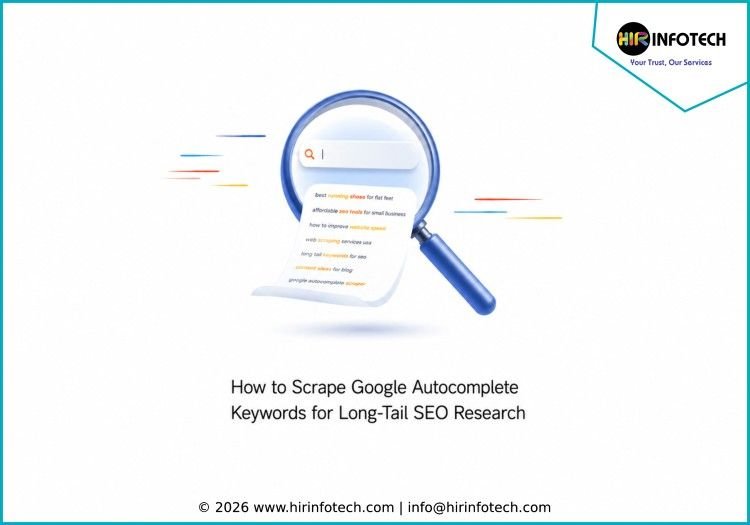
How to Scrape Google Autocomplete Keywords for Long-Tail SEO Research
Introduction
Google Autocomplete predicts searches as users type, offering a direct window into real-time user intent. For SEO professionals, scraping these suggestions unlocks long-tail keywords that traditional tools miss entirely. Unlike static keyword databases that refresh on schedules, autocomplete data reflects what users are actively searching right now — making it indispensable for content strategists targeting specific markets across the globe.
What Google Autocomplete Reveals That Keyword Tools Miss
Traditional keyword research tools operate on historical data. They can only show what users searched for weeks or months ago. Google Autocomplete works differently. It pulls from real-time search behavior, trending topics, location signals, and search history patterns to generate predictions as users type .
This distinction matters for long-tail SEO. When a new trend emerges — driven by news, product launches, or cultural events — autocomplete captures it immediately. By the time that keyword appears in traditional databases, early adopters have already captured significant traffic.
Autocomplete also reveals the specific phrasing users employ. A user searching for “best running shoes” versus “affordable running shoes for flat feet” shows dramatically different intent and commercial value. The latter is a long-tail opportunity that may never reach volume thresholds for traditional databases but represents a high-intent, low-competition target.
How Google Autocomplete Scraping Works
Google serves autocomplete suggestions through a public API endpoint. When you type into the search box, your browser sends requests to a URL like https://suggestqueries.google.com/complete/search?client=firefox&q=your+keyword. The response returns JSON containing the list of predicted completions .
The scraper communicates with Google’s suggest endpoint via lightweight HTTP requests — no browser rendering required. This makes scraping significantly faster and more cost-effective than browser-based alternatives .
Key parameters for autocomplete scraping include:
- q or query: The seed keyword or partial phrase
- gl (country): Two-letter country code for localized results (us, de, gb, etc.)
- hl (language): Language code for interface (en, de, fr, etc.)
- client: Defines the client type — values like psy-ab (Chrome), safari, or firefox produce different result sets
The cp parameter controls cursor position, which changes suggestions based on where the cursor is placed in the query string . This advanced parameter can unlock variations that standard queries miss.
Manual Autocomplete Research Techniques
Before implementing automation, understanding manual methods helps validate results and build effective workflows.
The seed phrase method is the foundation. Start with a core topic relevant to your business. Type it into Google slowly and observe the predictions. Each suggestion represents a direction worth exploring.
Letter expansion dramatically increases coverage. After capturing seed variations, add a letter to the end of your phrase. Type “freelance accountant a,” then “freelance accountant b,” and so on through the alphabet. This reveals dozens of long-tail variations that never appear from the seed phrase alone .
Question word expansion prefixes your seed with “how,” “what,” “when,” “why,” “can,” or “does.” These frequently produce blog-ready topics and FAQ content that mirrors actual search behavior.
Modifier expansion adds intent-bearing words before or after your seed: “best,” “affordable,” “local,” “online,” “vs,” “alternative,” “review,” “cost.” Each modifier captures a different stage of the buyer journey.
Automated Solutions for Scalable Autocomplete Scraping
Manual collection does not scale for ongoing keyword research across hundreds of seeds. Several automated solutions exist for different use cases and budgets.
SerpApi Google Autocomplete API
SerpApi offers a dedicated Google Autocomplete endpoint that returns structured JSON output with fields including value (the suggestion), relevance (Google’s ranking score), and type . The free plan works for initial testing, with paid plans scaling to enterprise volumes.
Python implementation:
python
import serpapi
params = {
‘api_key’: ‘YOUR_API_KEY’,
‘engine’: ‘google_autocomplete’,
‘q’: ‘your keyword’
}
client = serpapi.Client()
results = client.search(params)[‘suggestions’]
Export results to CSV for analysis :
python
import csv
with open(‘google_autocomplete.csv’, ‘w’, encoding=’UTF8′, newline=”) as f:
writer = csv.writer(f)
writer.writerow([‘value’, ‘relevance’, ‘type’])
for item in results:
writer.writerow([item.get(‘value’), item.get(‘relevance’), item.get(‘type’)])
Apify Google Autocomplete Scraper
Apify offers a pre-built actor that extracts keyword suggestions with support for recursive expansion and alphabet append . Key capabilities include:
- Recursive expansion (depth 1–3): Takes each suggestion and fetches its own sub-suggestions to build deep keyword trees
- Alphabet append: Queries “keyword a,” “keyword b,” through “keyword z” to unlock up to 27 times more variations
- Multi-language and multi-country support: Target any locale for international SEO
- Automatic deduplication: Keeps datasets clean across all depth levels
Configuration options:
json
{
“keywords”: [“web scraping”],
“language”: “en”,
“country”: “us”,
“maxDepth”: 2,
“appendAlphabet”: true,
“maxSuggestionsPerKeyword”: 10
}
Result counts scale dramatically with configuration. Depth 1 returns up to 10 suggestions per seed. Depth 2 returns up to 110 suggestions. Depth 3 returns up to 1,110 suggestions. Adding alphabet append to depth 2 generates up to 2,970 suggestions per seed keyword .
Python implementation with Apify client:
python
from apify_client import ApifyClient
client = ApifyClient(“<YOUR_API_TOKEN>”)
run_input = {
“keywords”: [“web scraping”],
“language”: “en”,
“country”: “us”,
“maxDepth”: 2,
“appendAlphabet”: True
}
run = client.actor(“automation-lab/google-autocomplete-scraper”).call(run_input=run_input)
Google Search Suggest Autocomplete Scraper
For maximum performance and anti-bot protection, specialized scrapers use advanced techniques. The Google Search Suggest Autocomplete Scraper employs smart single-session user-agent locking and TCP keep-alive connection pooling to prevent Google from triggering soft rate limits or CAPTCHAs .
Features include:
- Question expansion: Automatically adds native-language question prefixes (“how,” “why,” “what,” “does”)
- Alphabet and number expansion: Appends a-z and 0-9 to seeds
- Parallel processing: Runs all combinations concurrently for maximum speed
- 18 languages supported: English, German, French, Spanish, Danish, and more
- 60+ countries: Target any Google regional index
Input configuration:
json
{
“seedPhrases”: [“pizza”],
“country”: “us”,
“language”: “en”,
“expansionMode”: “full”,
“includeQuestions”: true,
“maxConcurrency”: 10
}
Multi-Engine Keyword Suggest API
For comprehensive research across search platforms, the Keyword Suggest Multi actor queries autocomplete endpoints from Google, Bing, DuckDuckGo, YouTube, Amazon, eBay, Yandex, Baidu, and Naver in a single API call .
This approach is particularly valuable for understanding how different audiences search across platforms. A suggestion that appears across multiple engines represents mass-market intent, not a one-engine quirk.
The output includes a ranked summary where suggestions bubble up by consensus across engines, prioritizing suggestions surfaced by multiple sources at better positions.
Multi-Market Keyword Discovery
For businesses operating across the USA, Germany, United Kingdom, France, Italy, Russia, Spain, Netherlands, Switzerland, Poland, Ireland, Australia, Canada, Thailand, and Hong Kong, running separate autocomplete scrapes per market is essential.
The same seed keyword with gl=us versus gl=de versus gl=th produces meaningfully different suggestion sets due to local search behavior, language, and cultural context . For example, “coffee near me” might suggest coffee shops in one country but coffee products in another.
Run your seed list through each target country using the appropriate ISO codes: us, de, gb, fr, it, ru, es, nl, ch, pl, ie, au, ca, th, hk. Compare the resulting suggestion sets to identify universal suggestions that appear across multiple markets for translated content, and market-specific suggestions unique to one country for localization priorities .
Turning Scraped Keywords into SEO Strategy
Raw autocomplete data becomes valuable when processed and applied correctly.
Deduplication and Cleaning
Scraping with alphabet expansion and recursive depth generates significant data volume — potentially thousands of suggestions per seed. The first step is deduplication. Many tools offer automatic deduplication across all depth levels , but manual review helps catch edge cases.
Intent Classification
Group scraped keywords by the intent they reveal. Informational suggestions include “how,” “what,” “why,” “guide,” “tutorial.” Commercial investigation includes “best,” “vs,” “review,” “comparison,” “top.” Transactional includes “buy,” “price,” “cost,” “near me,” “services.” Navigational includes specific brand or product names .
Content Mapping
Map each suggestion to an appropriate content format. Informational queries become blog posts or guides. Commercial queries become comparison pages or roundups. Transactional queries signal service page optimization opportunities. Question-based keywords from question expansion feed directly into FAQ sections and featured snippet optimization .
Prioritization by Opportunity
Not all autocomplete suggestions deserve equal investment. Prioritize based on relevance to your service offering, estimated conversion potential, and competitive landscape. A term with moderate volume but clear commercial intent often outperforms a high-volume term with mixed intent.
Why Hir Infotech Specializes in Autocomplete Scraping
At Hir Infotech, we have built our web scraping practice around delivering actionable keyword intelligence to B2B SEO teams. With over 13 years of experience and 2,745+ satisfied clients across the USA, Europe, and Australia, we have deployed autocomplete extraction for hundreds of keyword research and content strategy use cases.
Our approach to Google Autocomplete scraping focuses on three core deliverables. First, we extract complete suggestion lists with full alphabet expansion and recursive depth expansion from any seed list — capturing up to 2,970 suggestions per seed keyword. Second, we enrich output with relevance scores and type data where available, helping clients distinguish between query completions and question-based suggestions. Third, we support multi-market collection across all target locations simultaneously, running identical seed queries with country-specific parameters to reveal regional intent differences that single-market research would miss.
We do not sell software subscriptions. We deliver structured, decision-ready keyword datasets that feed directly into content calendars, brief-writing processes, and competitive analysis. For organizations looking to move beyond generic keyword lists and start building content around what users are actually typing right now, Google Autocomplete scraping provides the most direct data source available.
Frequently Asked Questions
What is the difference between scraping autocomplete and using a keyword tool?
Keyword tools aggregate historical data into static databases. Autocomplete scraping pulls live, real-time suggestions directly from Google based on current search behavior. Autocomplete is better for spotting emerging trends and natural language phrasing, while keyword tools provide volume data and competition metrics.
Can Google block me for scraping autocomplete?
Excessive automated requests can trigger rate limiting. Using managed APIs like SerpApi or Apify actors handles proxy rotation, request throttling, and CAPTCHA solving automatically. For custom scraping, implement proper rate limits and proxy rotation to avoid blocks.
How many suggestions can I get from one seed keyword?
Google typically returns 10 suggestions per query. Using alphabet expansion (adding a through z), one seed generates 27 child queries (26 letters plus base), yielding up to 270 direct suggestions. With recursive depth expansion to level 2, this multiplies to approximately 2,970 suggestions per seed keyword .
Does the client parameter affect autocomplete results?
Yes. Different client values — psy-ab (Chrome), safari, firefox — return different suggestion sets and relevance rankings. SerpApi documentation shows that changing the client parameter produces meaningfully different results for the same keyword .
Can autocomplete scraping work for all the countries you serve?
Yes. Using country parameters (gl=us, gl=de, gl=gb, etc.), scraping captures localized autocomplete suggestions for each target market. However, results vary significantly by country. Run separate analyses for each market rather than assuming one-size-fits-all keywords.
Conclusion
Google Autocomplete scraping is one of the most powerful yet underutilized sources of long-tail keyword intelligence. Unlike expensive research platforms that aggregate historical data, live autocomplete extraction reveals exactly what users are typing right now — including the specific phrasing, questions, and intent signals that drive qualified traffic. Whether you are building topic clusters, localizing content for multiple markets, or simply trying to understand how your audience actually searches, autocomplete data provides a direct, actionable answer. The technical approaches range from manual letter expansion for small-scale research to managed APIs and pre-built actors for enterprise-scale extraction across dozens of countries. For organizations ready to move beyond guesswork and assumption-based keyword lists, Hir Infotech delivers structured autocomplete extraction tailored to your service categories and target locations — turning Google’s predictive search into your long-tail keyword roadmap.